


Moon River Harmonic Analysis
In this lesson we conduct a harmonic analysis of the tune Moon River to understand how each chord functions in relation to the key of C Major.
After studying the previous 2 lessons in this course we now have an understanding of common voicings and progressions in the key of C Major and we will use this information to gain a deeper understanding of the harmony in Moon River.
Harmonic Relationships
We will identify the common progressions such as 251 and 36251s which help us to group together multiple bars into easy-to-remember chunks of harmonic information.
We will also analyse progressions built around the diatonic 7th chords of C major, for example 251 to the relative minor, 251s to the IV chord and other common harmonic cadences.
Related Lessons
Learning chord voicings is an important skill for the jazz pianist. In this lesson we cover a 5 step process for lear...
In this lesson we’ll analyse the harmony of “There Will Never Be Another You” to help memorise & internalise th...
Lead sheets are a useful tool when starting out with jazz, but by learning tunes by memory, it will benefit your play...
Practice Tips
-
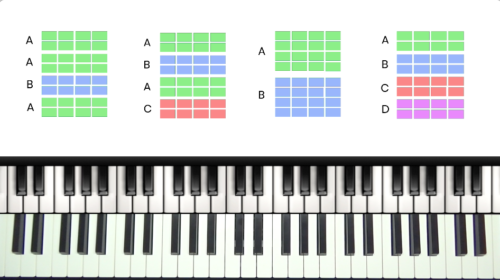
Analyse the form of the tune to understand which sections are repeated. This tune follows an ABAC form and so the A Section repeats twice.
-
Annotate the score with numerical harmony to help to to memorise and internalise the function of each chord in the tune.
-
Group together blocks of harmony such as 25s, 251s, and 36251s to speed up the memorisation of the harmony.


This a great lesson! I remember in one of the earliest seminars on this site, Memorizing Jazz Standards by Tuomo, he mentioned it was all about where the chords resolved to. That always stayed in the back of my head but I could never fully quite grasp what it meant until this lesson which really hit the nail on the head. This also clarified to me why many times certain notes and chords can often have keys outside of the songs main diatonic scale.
I hope to see more analyses on other Jazz standards in this fashion. Keep it up!
Hello Hayden, i’m memorizing the chords of this tune, understanding the harmony, and i have a question on the 4-7-3-6-2-5-1.
Is this progression always a following of 2-5 of 3, 2-5 of 2 and 2-5-1 (of 1). Or am i wrong to see it that way, seeing this as 4-7-3-6-2-5-1 could in my opinion mislead me, because of the dominant nature of the chords.
Cheers, Guillaume
Hi Guillaume,
Great question.
I would personally look at that progression as 4-7-3-6-2-5-1 in the key of C major, and the 4 (F#-7) is actually a #4 which creates the perfect 251 into E-, or 251 into the 3 chord as you say. We could also see the F#-7 related to the C Lydian Mode where F# as the 4th degree of the scale.
Whether you look at this as “4-7-3-6-2-5-1” or as “2-5 of 3, 2-5 of 2 and 2-5-1 (of 1)” – it’s basically 2 ways of looking at the same thing. We are trying to describe the music and the harmony with words and language which is always an impossible task!
This is a very important point.
For any chords in a 251 progression, they are a 5th apart, and so we can play them all as dominant chords. The same with the 36251 progression, all chords are a 5th apart.
It’s very common in jazz piano to change the minor chords in 251s and 36251s into dominant chords.
Please check out these lessons where I explain this in more detail:
https://pianogroove.com/jazz-piano-lessons/eb-major-diatonic-harmony/ (chapter 5)
https://pianogroove.com/jazz-piano-lessons/beautiful-chord-progression/ – in this progression we play the 4, 3, 2, and 5 chords as dominant chords, when diatonically-speaking, in the key of Eb major, the 4 chord would be major (Abmaj7), and the 2 and 3 chords would be minor (F-7 and G-7).
Dominant chords lend themselves well to texture and colour through adding the alterations b9/#9/#11/#5 and so we commonly substitute them in jazz piano to create more interesting sounds and progressions.
Please check out those lessons and it should help you to think of chords in a more flexible way.
If you have any further questions just let me know.
Have fun exploring this stuff!
Cheers,
Hayden
I agree with Jose G – this is a great lesson! It’s only about 19 mins long, but it’s taken me ages to get through it! – but it’s full of riches.
I have to keep stopping it, to look at the voicings, but many times I hit the yellow bar by mistake, and I lose my place as it goes back to the beginning! It would be good if the play/pause button could be a bit further away from the yellow progress bar.
Also, I can’t remember how to go back 10 seconds or so – I thought there was supposed to be a button for this, but I can’t find it!
But, all in all, I’ve got a huge amount out of this lesson – thanks Hayden.
Hi David,
Thanks for getting in touch and I’m glad you enjoyed the lesson.
I do try to pack a lot of information into my tutorials, so it’s normal to have to review and repeat a lesson many times to absorb all of the information.
Regarding play/pause and skip back controls:
If you click the settings icon in the bottom right hand side of the video player, you will then see an option called “Keyboard Shortcuts” – screenshot below – and here it shows the keyboard shortcuts that you can use to control the video.
If you are using a laptop, desktop computer, or any device with a keyboard, simply press the [SPACE] button to pause or resume the video playback. You must keep you mouse cursor inside the video container for this. You can also click anywhere inside the video with your mouse cursor and this will pause or resume the video playback, you don’t need to click the small play button.
To skip back and forward by 5 seconds, we can click the ‘back’ and ‘forward’ arrows on our keyboard.
——-
If you are using a tablet or touchscreen device, to pause or resume the video, simply tap the centre of the video with your finger and the video will pause/resume.
To skip back and forward using a touchscreen device, double tap the left or right hand side of the video and the video will skip back or forwards by 10 seconds.
Please give that a try and let me know if you have any other questions.
Enjoy the lessons!
Best,
Hayden
Thanks very much Hayden. I’m using an iPad (I don’t have a laptop), which is good because I can rest it on the Piano’s music rest.
I’d forgotten about tapping the centre of the video to stop/start – that’s good. For skipping backwards/ forwards, I was tapping on left/right of the screen, not the video image, which doesn’t work of course! (A subtle distinction – the image doesn’t fill the screen, or if it does, the ‘Lesson Chapters’ line is hidden.)
Your conversation with Véronique is very interesting – a lot to digest there. In relation to your reply of August 6, two points: (1) In your list of scale options for A minor, you don’t mention the Phrygian mode – does that come into later lessons? (2) You give the notes for F#-7 as F#-A-C-E. Surely this is F#-7b5? And isn’t Am6 an alternative expression of F#-7b5, not F#-7?
Thanks.
Hi David,
I’m glad the iPad touch controls are working for you.
Regarding full screen for the video player, if you are using an iPad then please use Safari browser and the full screen option is supported. Unfortunately iPad and Chrome Browser does not support full screen mode,
Once in full screen you can use the tap controls to pause and skip back/forward, but you will lose the lesson chapter bar. You can temporarily exit full screen to use the chapter bar.
—-
Next, thanks for correcting my response below. I did write F#-7 by mistake and I meant to say F#-7b5. Apologies for the confusion and I have corrected my reply to Véronique below.
—-
Great question with the Phrygian Mode – indeed it is another type of minor sound but it has a more distinctive and unusual flavour compared to the other scale options that I highlighted.
To be honest, it’s not a sound that I use much in my playing. When creating melodies over minor chords I try to focus on the first 5 notes of the minor scales that I highlighted above (for example over A- that would be … A-B-C-D-E) , and pay particular attention to the notes of the triad (1-3-5).
I covered this approach in my course on “In A Sentimental Mood – Minor Improv” – https://www.pianogroove.com/jazz-piano-lessons/minor-harmony-improvisation/ – it’s a nice concept to play around with… in case you haven’t seen that course already.
I don’t believe that we have any lessons specifically covering the Phrygian Mode but I will keep that in mind for future lessons.
—-
I hope that helps David, please let me know if you have any follow-up questions, and thanks again for spotting my typo below! 😉
Cheers,
Hayden
Hi Hayden,
Magnifique leçon très instructive.
J’ai une question pour le A6 à la mesure 27, pourquoi tu joues un F# comme 6 ?
Et quand tu finis en Em à la place de Cmaj7, tu mets aussi un F#. Dans la gamme de C, le Em n’a pas de F#. C’est la 11# de Cmaj7, car souvent dans les gammes maj7 on altère la 4ème note ?
Merci de m’éclairer.
Est-ce qu’on pourrait aussi, sur ces 3 mesures de Am faire un minor line cliché ? C’est d’ailleurs ce que tu fais il me semble.
Bonne journée.
Hi Véronique 👋
Great questions!
Firstly, the chord is Am6, not A6.
You are exactly correct that I am playing a variation of the minor line cliché.
I play an A- triad then moving to A-/G (A-7) then moving to A-/F# which is Am6. This creates a step-wise bass line moving from A- to the F7 in bar 28.
The base line moves like this… A –> G –> F# –> F
—–
We have 4 different scale options for A minor which are:
A Natural Minor – This is the C major scale, but played from A to A. Also known as the ‘relative minor scale’.
A Harmonic Minor – This scale contains F natural, and G#.
A Melodic Minor – This scale contains F# and G#
A Dorian Mode – This scale contains F# and G.
I like to look at these scales/modes as different ‘flavours’ of the A minor tonality. In fact they all start with the same 5 notes (A, B, C, D, E), they all contain the minor triad (A-C-E), and it’s just the 6th and 7th notes of the scale which are different which creates the slightly different ‘flavours’.
In this case we could say that we are creating the harmony from the A Dorian Mode, but I personally find that to be a complicated way of looking at it.
You are already familiar with the minor line cliché, and so what you are seeing here is simply a variation of the minor line cliche.
We are starting with the minor triad (A-) and then adding a moving bass line at the bottom which drops down to play the 7th (G), the 6th (F#) and then that creates a smooth root movement into the next chord which is F7.
I also mention in the video that the original chord in bar 27 is F#-7b5.
The notes of F#-7b5 are: F#-A-C-E
If we put the F# on top of the chord we have A-C-E-F# … which is Am6.
We could refer to that chord as F#-7b5 or as Am6.
For me personally, it makes more sense to view it as an Am6 (the actual voicing we play is A-/F#) because that makes sense with the chords that come before…
A- –> A-/G –> A-/F# –> F7
If I think of the 3rd chord as A-/F# then it resembles a minor line cliché movement.
The moving bass line is very important here – that’s what holds everything together.
—–
Yes, we could think of this as the C Lydian Mode, because the Lydian Mode is simply a major scale with a raised 4th (or #11):
C – D – E – F# – G – A – B – C
Because we’re in the key of C major, that F# also creates a Lydian colour against the tonic Cmaj7. So we could analyse it as C Lydian
However, in this example I’m just thinking Em9 chord. The F# is the 9th of Em:
E – G – B – D – F#
When we add chord extensions (9, 11 and 13), we’re enriching the basic seventh chord with additional colour tones. Depending on the harmonic context, these extensions may or may not be diatonic.
In this case the F# is not diatonic to the C Major scale.
The 1 chord (Cmaj7) can be substituted for the iii-7 chord (E-7) and then we can add colour tones to the E-7 chord (such as the 9th in this case) which fall outside of the C major scale.
It’s quite tricky to explain, but hopefully the above makes sense for you!
If you have any follow up questions just let me know.
Best,
Hayden
Hi Hayden,
A nouveau, je te remercie pour cette très longue et précieuse réponse. J’ai tout bien compris sauf la 9ème de E-.
Pourquoi dans la gamme de E- la 9ème est un F# ?
Le morceau est en Cmaj7, du coup quand l’accord E-9 est mentionné, je me base sur les notes de l’accord diatonique de la gamme Cmaj7, donc le F. Du coup c’est pas juste ? Je fais un peu des confusions avec tout cela. Merci de me réexpliquer.
C’est ok pour toi mes questions en français ?
Bien à toi
Véronique
Hi Véronique,
My pleasure… I will try to explain a different way for you…
The important thing is that the chord extensions come from chord itself (E-7) and not from the parent key (the key of C major).
So for an Em9 chord, I usually think of the E Dorian Mode which contains the following notes:
E = 1
F# = 2 (or 9)
G = minor 3rd
A = 11
B = 5
C# = 13
D = minor 7th
We could think of any of the E minor scales (E Natural Minor, E Harmonic Minor, E Melodic Minor, E Dorian Mode) … it doesn’t matter which one of those scales you choose, the 2nd or 9th degree is always F#.
—–
I know what you’re thinking: “But we’re in the key of C major, and C major contains F natural!”
You’re absolutely right. If we stay strictly within the notes of C major, then the note above E is F natural.
However, in jazz we think of the extensions relative to the chord root. So an Em9 contains F#, even if the parent key is C major.
I remember struggling with this myself. At first it felt like a contradiction, but eventually I accepted that this is simply how chord extensions are derived in jazz harmony.
To reiterate, don’t think in terms of the parent key (C major), think of the 9th in terms of the E minor scale.
Please let me know if you have any follow up questions.
Best,
Hayden
PS. And yes, your questions in French are absolutely fine! 😊
Hi Hayden,
Alors cette fois, je comprends bien, merci infiniment pour ta clarté Hayden. Tu expliques très bien car je comprends tout cela en anglais !!!
Belle suite à toi.
Au plaisir.
Véronique
My pleasure, Véronique.
It is a little confusing because the chord extensions of the ii-7 and the vi-7 chords are mostly diatonic to the C Major Scale, for example:
For the ii-7 in the key of C (D-7)
D-9 = D-F-A-C-E
D-11 = D-F-A-C-E-G
D-13 = D-F-A-C-E-G-B
–> all diatonic to C major scale.
—-
For the vi-7 in the key of C (A-7)
A-9 = A-C-E-G-B
A-11 = A-C-E-G-B-D
–> all diatonic to C major scale.
A-13 = A-C-E-G-B-D-F#
–> here we have the F# again.
—-
For the iii-7 chord in the key of C (E-7)
E-9 = E-G-B-D-F#
E-11 = E-G-B-D-F#-A
E-13 = E-G-B-D-F#-A-C#
—-
This relationship is the same in all major keys.
If we want to play colourful and rich chord extensions, sometimes we need to ‘step outside’ of the parent scale or key!
Best,
Hayden
Merci beaucoup pour cet éclaircissement, c’est génial. J’apprends énormément !